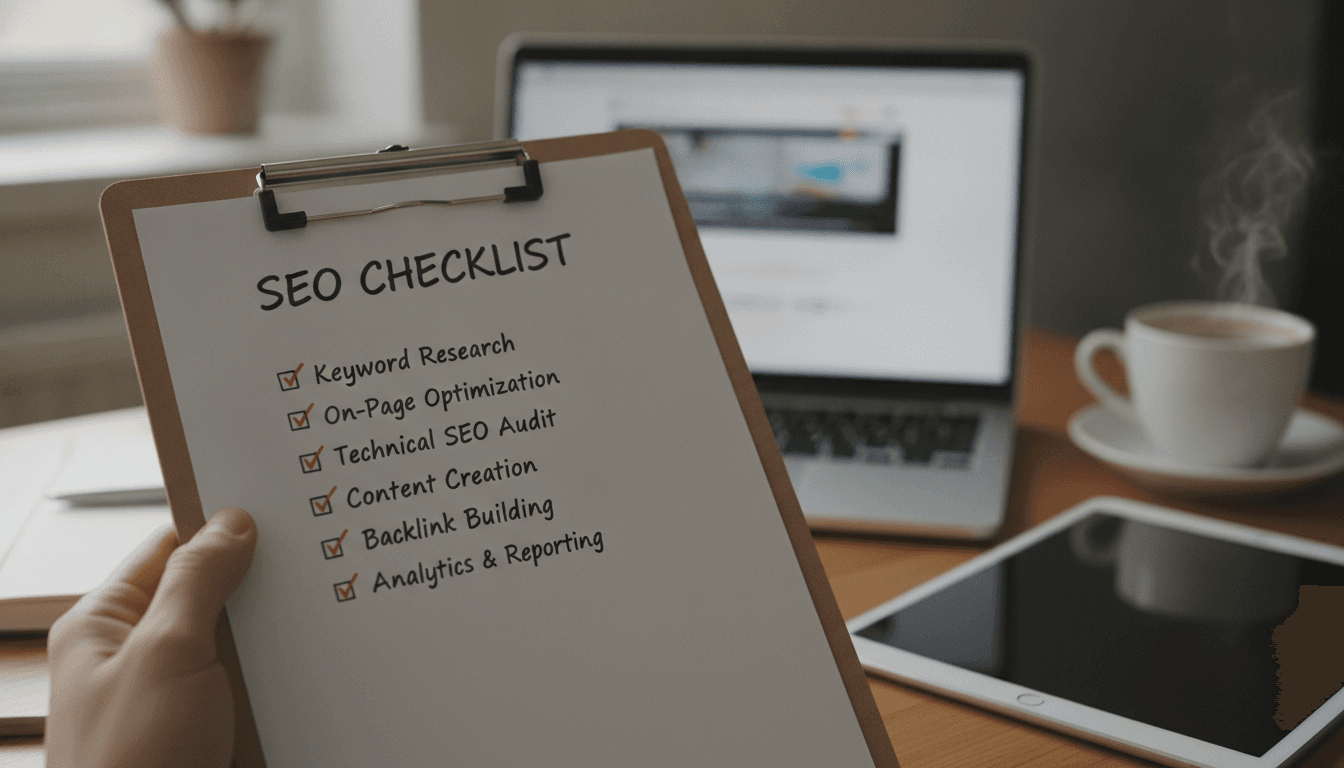
Understanding the ins and outs of website growth, we help ensure that your site grows over time with ever-increasing reach and accessibility. Not only do we employ the latest digital marketing techniques for driving traffic directly to your website, but our strategies also focus on gaining loyalty from those visitors so they come back again and again.
Leave your contacts to get a comprehensive and aggressive digital marketing plan taking your business to new heights.
The Complete SEO Checklist for 2026: 40+ Steps to Optimize Any Website
Author: Oleg Silin, Co-founder & Lead SEO Specialist at Mettevo. Oleg has over a decade of experience auditing and scaling organic traffic for hundreds of B2B, SaaS, healthcare, and e-commerce brands, driving an average lead growth of over 189% in competitive niches.
Disclaimer: SEO outcomes depend on industry competition, historical site authority, and algorithm updates. This checklist provides foundational and advanced best practices for 2026, but does not guarantee specific ranking positions. In regulated niches (medicine, law, finance), always ensure content complies with legal advertising standards.
«We run SEO audits across dozens of client sites every quarter — healthcare clinics, e-commerce brands, SaaS platforms, B2B service companies. After years of doing this, the pattern is clear: sites that follow a structured checklist consistently outperform those that chase random tactics. This guide distills the actual process we use at Mettevo into a single, actionable reference.»
Oleg Silin, Co-Founder at Mettevo
Search engine optimization is not a single action. It is a system of interdependent tasks — some completed once, others revisited monthly, and a few checked every time a new page goes live. Miss one foundational step and it can quietly undermine months of content and link-building work, causing your marketing budget to bleed without results.
That is not a hypothetical scenario. I have seen it happen dozens of times.
This SEO checklist covers 40+ specific steps organized by category: technical SEO, on-page optimization, keyword research, link building, and the newer AI-era considerations that matter in 2026. Whether you are launching a brand-new website or you are a frustrated owner trying to figure out why your organic traffic is down, this framework provides the exact steps you need.
How to Use This SEO Checklist
This checklist is structured around three task types. Understanding the distinction saves hours of misplaced effort — and, frankly, a lot of frustration.
One-time setup tasks are completed when the site launches or during a first-time audit. Think: verifying ownership in Google Search Console, submitting an XML sitemap, configuring robots.txt. These form the foundation of any basic SEO checklist.
Recurring tasks happen on a schedule. Technical SEO audits, backlink profile reviews, and content freshness checks fall here. Skip these and your rankings will quietly decay.
Per-page tasks apply every time you publish or update a page — title tag optimization, heading structure, internal linking, image alt attributes. These are the on-page SEO fundamentals that compound over time.
Where you start depends entirely on your site's maturity.
"Where Should I Start?" — A Quick Decision Guide
Scenario A: New Website. → Start at Section 1 (SEO Basics). Your priority is getting crawled and indexed. Google does not know you exist yet — and until it does, nothing else matters.
Scenario B: Established Site, Traffic Plateaued. → Jump to Section 3 (Technical SEO Audit) and Section 4 (On-Page SEO). Your priority is finding hidden errors and refreshing what you already have.
Scenario C: Niche-Specific (E-commerce / Local / Healthcare). → Review the core steps first, then head to the Niche Specificity Adjustments section to apply rules for your industry.
Recommended Cadence by Task Category
Treating the entire checklist as a single task leads to burnout. Here is the operational schedule we follow at Mettevo — and the one I recommend to every client:
Task Category
Frequency
Examples
Foundational setup
One-time (verify quarterly)
Search Console, analytics, robots.txt, XML sitemap
Technical SEO audit
Quarterly
Crawl errors, redirect chains, Core Web Vitals, schema validation
On-page review
Monthly or per-page publish
Title tags, headings, internal links, content quality
Keyword map update
Quarterly
New keyword opportunities, cannibalization checks, intent shifts
Backlink audit
Quarterly
Backlink profile quality, toxic link review, competitor gap analysis
Content freshness review
Monthly
Update declining pages, add new data, refresh outdated statistics
AI / Emerging SEO review
Bi-annually
AI Overview visibility, SERP format changes, structured data updates
Recommended SEO task cadence for a 50–200 page website
You do not need a massive budget to start. But having the right tools is non-negotiable — trying to run a technical SEO audit without a crawler is like trying to diagnose a car engine by listening from across the street. Here are the core platforms required to execute the steps in this checklist.
Tool Name
Status
Minimum Cost
Primary Purpose in This Checklist
Google Search Console
Free
$0
Indexing status, penalty checks, crawl errors, click data
Measuring Core Web Vitals (LCP, INP, CLS) and page speed
Core SEO tools — free and paid — needed to complete this checklist
SEO Basics and Initial Setup Checklist
Before optimizing content, building links, or diving into keyword research, the site itself needs to be visible and measurable. This is the SEO basics checklist that every new website — and, honestly, quite a few established ones — should verify first.
Skip these, and Google may not crawl your pages correctly. Or at all.
Google Search Console, Analytics, and Webmaster Tools Setup
Every SEO engagement starts with verifiable data. No data, no direction.
Google Search Console verification. Search Console is the primary interface between your site and Google's crawling systems. Verification unlocks access to crawl data, index coverage reports, and performance metrics — the raw numbers that tell you whether Google even sees your pages. Current verification methods include DNS record, HTML file upload, HTML meta tag, Google Analytics tag, Google Tag Manager, and domain-name-provider verification. In my experience, the DNS record method is the most durable choice because it survives theme changes and plugin updates without breaking.
«Google Search Console verifies ownership at the property level. Google's current Help Center lists verification by DNS record, HTML file upload, HTML tag, Google Analytics, Google Tag Manager, and Domain name provider methods.»
Bing Webmaster Tools verification. Bing supports XML file upload, meta tag, and DNS CNAME record methods. If you are already verified in Google Search Console, Bing offers an import option that pulls your verified sites directly — a nice shortcut that takes about two minutes. Do not overlook Bing: with its integration into Microsoft Copilot and AI-powered search, Bing's share of referral traffic is growing, particularly in B2B niches.
Analytics installation. Connect Google Analytics 4 (or your preferred alternative) and confirm the tracking tag fires on every page. Measuring outcomes is the only way to track ROI — and the only way to prove to your CEO or business partner that SEO is actually working.
XML Sitemap and Robots.txt Configuration
An XML sitemap tells search engines which pages exist and where to find them. The robots.txt file tells crawlers which areas of the site they should avoid. Together, they form the traffic signals of your site's architecture.
«A sitemap should contain only canonical, indexable URLs and be submitted through Search Console; Google can then use it to discover pages faster.»
Ensure your CMS — whether WordPress, Shopify, or Webflow — generates the sitemap automatically. Then submit the .xml URL inside Google Search Console. Double-check that the sitemap only includes pages returning a 200 status code; including redirected or noindexed URLs just wastes crawl budget and sends mixed signals.
Robots.txt configuration. Here is a common misconception worth clearing up: robots.txt does not prevent indexing. It controls crawling. A page blocked by robots.txt may still appear in search results if inbound links point to it. To permanently prevent indexing, use a noindex meta tag instead.
A real-world example: when we onboarded a healthcare client whose organic traffic had dropped 60% over three months, the root cause turned out to be a staging-environment robots.txt file accidentally deployed to production. It was blocking Googlebot from the entire /services/ directory. Three lines of text, 60% traffic loss. That is how much this file matters.
If you are running a CMS-based site (WordPress in particular), install a dedicated SEO plugin like Yoast SEO or Rank Math. These plugins handle sitemap generation, robots.txt editing, and per-page meta tag controls from a single dashboard — reducing the chance of a misconfiguration slipping through.
Keyword Research Checklist
Keyword research dictates your site's architecture, your content calendar, and ultimately which queries bring revenue versus which bring noise. Without it, you will either suffer from keyword cannibalization — multiple pages competing against each other for the same term — or target phrases that look impressive in a report but never convert a single lead. Keyword research is your blueprint.
Finding Core Keywords and Long-Tail Opportunities
Start with 5–15 "seed keywords" that describe your core business. For a personal injury law firm, those might be "car accident lawyer," "slip and fall attorney," "personal injury settlement." You will rarely rank for these broad terms immediately, but they serve as branches to find long-tail keywords — the more specific, lower-competition phrases where new sites can actually gain traction.
Where to find low-competition long-tail keywords:
Google Suggest and People Also Ask: Type your seed term into Google and note the autocomplete suggestions and "People Also Ask" boxes. These reflect real queries people are typing right now.
Communities: Search Reddit, Quora, and niche forums. Real users describe their pain points using natural phrasing you will not find in traditional keyword tools. A plumber's customer does not search "residential plumbing services" — they search "why does my kitchen sink smell like rotten eggs."
Competitor keyword gaps: Run a competitor's domain through Semrush or Ahrefs. Filter by keywords where they rank in the top 10, but your site is missing entirely. That gap is your opportunity list.
One SEO tip that saves a lot of wasted effort: do not just chase volume. A keyword with 50 monthly searches and clear buying intent will outperform a 5,000-search informational term every time — at least in terms of revenue.
Search Intent Analysis and Keyword Mapping
Every query carries an intent. Informational ("how to fix a leaky faucet"), navigational ("Mettevo SEO services"), or transactional/commercial ("best CRM software for small business"). Google prioritizes content that matches intent — and it has gotten remarkably good at detecting mismatches.
Here is what that means in practice: if someone searches "best project management tools," they expect a comparison page with options, not a single product landing page. Serve the wrong format and you will not rank, regardless of how well-optimized your on-page SEO is.
Creating a keyword map. Mapping assigns one primary keyword and 2–3 secondary keywords to each URL. This is how you prevent cannibalization — the situation where two of your own pages compete against each other in the same SERP.
«When two pages satisfy the same query intent, search engines may alternate rankings between them; consolidation or re-mapping is used to keep one page as the authoritative target.»
Ahrefs Keyword Cannibalization Study (2024). https://ahrefs.com/seo/keyword-cannibalization
Document this in a spreadsheet with the following columns: URL, Primary Keyword, Secondary Keywords, Intent Type, and Target Page Format (e.g., blog guide vs. product page vs. comparison). Keep this document alive — update it quarterly as search intent shifts and new opportunities emerge.
Technical SEO Checklist (Audit Framework)
Technical SEO ensures search engines can crawl, render, and index your pages without obstruction. Think of it as the plumbing of your website: nobody notices it when it works, but when it breaks, everything stops.
«Audit stages: ensure pages can be crawled, confirm indexability, verify content is unique/useful, and check that structured data and page experience signals are valid.»
What follows is the technical SEO audit framework we use at Mettevo. It is not exhaustive for every edge case, but it covers the issues responsible for roughly 90% of the indexing and ranking problems we encounter across client sites.
Crawling, Indexing, and Site Architecture
The first question in any technical audit is binary: can Google access the URLs?
Finding crawl errors. Open the Google Search Console "Pages" report (under Indexing). Look for "Blocked by robots.txt," "Noindex tag detected," or "Crawled — currently not indexed." That last status is particularly tricky — it means Google found the page but decided it was not worth including in the index. Common causes: thin content, duplicate content, or low internal link support. Use the URL Inspection tool to request re-crawling once you have fixed the underlying issue.
Redirect chains and broken links. A redirect chain (URL A → URL B → URL C) wastes crawl budget and dilutes link equity. Point all redirects directly to the final destination. Run Screaming Frog across your domain to find these — on a 200-page site, it typically takes under 10 minutes. Fix 404 (broken) internal links to prevent users and crawlers from hitting dead ends. Every broken link is a small leak in your site's authority.
Duplicate site versions. Check that only one version of your site resolves. http://example.com, http://www.example.com, https://www.example.com, and https://example.com — all four must 301-redirect to your single canonical HTTPS format. If they do not, Google treats them as separate sites, splitting your authority across multiple versions.
Crawl depth and site architecture. Ideally, every important page on your site should be reachable within 3 clicks from the homepage. Pages buried 5 or 6 levels deep get crawled less frequently and accumulate less internal link equity. A flat, logical site architecture — homepage → category → subcategory → page — is the standard for a reason.
Critical warning: Three technical mistakes can completely de-index a site overnight. First, an accidental noindex tag on production pages (often left over from staging). Second, robots.txt blocking CSS and JavaScript files that Google needs to render your pages. Third, incorrect canonical tags pointing important pages to the wrong URL. Before any site migration or major update, check all three.
Page Speed, Core Web Vitals, and Mobile Readiness
For the business owner who wants the plain version: Core Web Vitals (CWV) are Google's way of measuring how fast and stable your site feels to a real human user. Slow, janky sites lose both conversions and rankings.
«Core Web Vitals thresholds: LCP "good" is ≤2.5 s, INP "good" is ≤200 ms, CLS "good" is ≤0.1.»
LCP (Largest Contentful Paint): How fast the main visible element — usually a hero image or headline block — loads. Target: under 2.5 seconds. Optimize by compressing images, converting to WebP format, and implementing lazy loading for below-the-fold content.
INP (Interaction to Next Paint): How fast the site responds when a user clicks a button or taps a link. Target: under 200 milliseconds. Optimize by minimizing heavy JavaScript, deferring non-critical scripts, and reducing main-thread blocking time.
CLS (Cumulative Layout Shift): How much the page layout "jumps" while loading — that annoying experience where you are about to tap a button and it moves. Target: under 0.1. Fix by adding explicit width and height attributes to images and video embeds, and by reserving space for ad slots or dynamic content.
Google uses mobile-first indexing, meaning it ranks your site based on how the mobile version performs — not the desktop version. Ensure text is readable without zooming, tap targets (buttons, links) are spaced at least 48px apart, and no horizontal scrolling is required. Test with PageSpeed Insights using the mobile tab, not desktop. That distinction matters more than most people realize.
Schema Markup and Structured Data
For the non-technical owner: schema markup is hidden code on your website that translates your content into a language search engines understand natively. It increases your chances of earning "rich snippets" — those enhanced results with review stars, FAQ dropdowns, recipe times, or product prices that stand out in the SERP.
«Page type must match markup type: article pages use Article, product pages use Product, and FAQ pages use FAQPage.»
Schema markup implementation follows a straightforward process: identify the correct schema type for each page template, write the JSON-LD code (or use a plugin that generates it), and validate everything using Google's Rich Results Test. The code must perfectly match visible page content — claiming 4.8 stars in your schema when the page shows 4.2 stars violates spam guidelines and can result in a manual action.
Common schema types worth implementing: Organization (homepage), Article or BlogPosting (blog content), Product and Review (e-commerce), LocalBusiness (service-area businesses), FAQPage (FAQ sections), and BreadcrumbList (site-wide navigation). Start with the types most relevant to your business and expand from there.
Quick Technical Audit: Yes/No Checklist
Use this rapid checklist to confirm the basics are covered before moving on:
Does the site use HTTPS securely?
Is the XML sitemap submitted in Google Search Console?
Are there zero duplicate www/non-www versions loading separately?
Does LCP fall under 2.5 seconds on mobile?
Are important pages reachable within 3 clicks of the homepage?
Is valid Schema.org markup applied to core page templates?
Are CSS and JS files accessible to Googlebot (not blocked by robots.txt)?
Do all internal links return 200 status codes (no broken links)?
If any answer is "no," that item becomes your immediate priority.
On-Page SEO and Content Optimization Checklist
On-page SEO applies to individual page optimization. Every URL you publish should pass this check — no exceptions. On-page SEO merges technical elements with user value, and it is where most of the day-to-day SEO work actually happens.
Title Tags, Meta Descriptions, and Heading Structure
Your title tag is the single most impactful on-page ranking signal. It is also the first thing a searcher reads in the SERP — so it needs to work for both algorithms and humans.
Title tag optimization: Keep titles between 50–60 characters. Place primary keywords near the beginning — Google gives more weight to early-position terms, and users scan left to right. Add a modifier when it fits naturally ("2026," "Complete Guide," "Checklist").
Meta descriptions: Keep them under 155 characters. Think of the meta description as a sales pitch for the click — not a keyword-stuffing opportunity. Include a clear benefit or call to action: "Learn the 40+ steps to fix technical issues and grow organic traffic."
Heading hierarchy: Use one explicit H1 per page (your page title), H2s for main sections, and H3s for subsections. Do not skip levels — jumping from H2 to H4 confuses both screen readers and search engines. The heading structure is your content's skeleton; make it logical.
Here is a practical before-and-after comparison to make this concrete:
"Welcome to our website. We offer many services. Click here to learn more."
"Our technical SEO audit identifies crawl errors, speed issues, and indexing gaps. See results in 4–8 weeks. Free initial assessment."
URL slug
/page-1234
/technical-seo-audit-services
H1
"Welcome"
"Technical SEO Audit: Find and Fix What's Holding Your Rankings Back"
Image alt text
"IMG_0042.jpg" (no alt)
"Screenshot of Google Search Console crawl errors report"
Internal link anchor
"Click here"
"on-page optimization checklist"
On-page SEO: before vs. after optimization — concrete examples for each element
Keyword Placement, Images, and Internal Links
Strategic keyword placement. Include your primary keyword in the URL slug, the first 100–150 words of the page, at least one H2 subheading, and naturally throughout the body. The emphasis here is on "naturally" — Google's algorithms are sophisticated enough to detect forced repetition, and readers will notice it even faster.
Image optimization. Name your image files descriptively before uploading: commercial-hvac-repair.jpg instead of IMG_009.jpg. Compress images to reduce file size (tools like ShortPixel or Squoosh work well), and convert to WebP format where your CMS supports it. Use descriptive alt text — image alt attributes serve two purposes: they help visually impaired users understand the image through screen readers, and they give search engines context about the image content. Write alt text that describes what the image actually shows, not a keyword list.
Internal linking strategy. This is one of the most underused SEO levers, and it is entirely within your control — no outreach, no budget, no waiting for someone else to link to you.
«Use anchor text that is descriptive and concise so the destination is understandable before the click; generic anchors like "click here" provide less context.»
Always interlink using relevant, descriptive anchor text. If pointing to a local ranking guide, use "local SEO ranking factors" rather than "read this article." Each internal link is a vote of relevance — make sure the vote is specific. Aim for 3–5 internal links per 1,000 words of content, pointing to both related articles and key service or category pages.
Content Quality, Freshness, and Cannibalization Fixes
Publishing content is not enough. You must routinely audit and refresh it — otherwise, even your best-performing pages will decay as competitors update theirs and search intent evolves.
Fixing cannibalization. If two pages target the same keyword — say, "Best CRM Software" and "Top CRM Tools" — they cannibalize each other's traffic. Google does not know which one to rank, so it often ranks neither well. The fix: consolidate. Take the best content from the weaker page, merge it into the stronger page, and 301-redirect the weaker URL. One strong page beats two mediocre ones every time.
Finding orphaned pages. Orphaned pages are URLs with zero inbound internal links — they exist on your site, but nothing points to them. Search engines struggle to find them, and users never see them. In one B2B SaaS case, we identified 34 orphaned service pages during a content audit. After adding contextual internal links from high-traffic hub pages, 12 of those orphaned pages moved to page one within eight weeks. No new content created, no links built — just internal linking strategy, applied correctly.
Content freshness. Set a monthly calendar reminder to review your top 20 pages by traffic. Are the statistics current? Are the recommendations still accurate? Has the SERP changed format (e.g., Google now shows a featured snippet where it previously showed standard results)? Updating a declining page with fresh data, a new section, and a current publication date often recovers lost rankings faster than writing a new article from scratch.
E-E-A-T signals within content. Add author bios with real credentials. Include editorial dates (published and last updated). Cite sources. Link out to authoritative external references. These trust signals matter for every niche, but they are absolutely critical for YMYL (Your Money or Your Life) topics like healthcare, finance, and legal.
Link Building and Off-Page SEO Checklist
Off-page SEO builds authority. The days of mass directory submissions and buying 500 links for $50 are long over — and good riddance. Link building in 2026 demands a structured value exchange: you provide something genuinely useful, and other sites link to it because it makes their content better. Here is a definitive checklist for building a high-quality link building profile.
Backlink Profile Audit and Competitor Analysis
Before building new links, understand what you already have — and what your competitors have that you do not.
Backlink profile audit. Export your links from Ahrefs, Semrush, or Google Search Console. Identify toxic signals — links from PBNs (private blog networks), spammy directories, or irrelevant foreign-language sites. If you are carrying manual penalty risk, add the worst offenders to a disavow file. But be careful with disavow: it is a scalpel, not a chainsaw. Only disavow links you are confident are harmful. Map your most valuable referrals — the high-authority, contextually relevant links — so you know what "good" looks like for your profile.
Competitor link intersect. Run 3 competitors through a Link Intersect tool (available in both Ahrefs and Semrush). If a site links to all three competitors but not you, they are a prime outreach target — they have already demonstrated willingness to link to content in your space. This single analysis often produces 20–50 actionable prospects in under an hour.
Link Acquisition Strategies That Work in 2026
Here are the specific tactics that consistently produce results — not theory, but methods we actively use across client campaigns:
Digital PR and original data. Create a linkable asset — an industry survey, a proprietary data study, an interactive tool. We built an original housing data study for a real estate client that organically earned 41 referring domain links without a single outreach email. Original data is the highest-ROI link building tactic available.
Unlinked brand mentions. Set up Google Alerts or use a tool like Brand24 for your brand name. When a blog mentions your company without linking, email the editor — thank them for the mention and politely request a clickable link. Conversion rates on these requests typically run 15–25% because the hardest part (getting mentioned) is already done.
Expert quote contributions. Respond to journalist requests on platforms like Connectively (formerly HARO), Qwoted, or Help a B2B Writer. Providing deep, specific expertise to reporters yields high-authority contextual links from publications that would otherwise be unreachable through cold outreach.
Podcast guesting. Pitch your founders or subject-matter experts to industry podcasts. The show notes almost universally include a backlink to your homepage or a relevant resource page — and these tend to be high domain-rating sites.
Broken link building. Find resource pages in your niche with broken outbound links (Ahrefs' Broken Link Checker makes this straightforward). Alert the site owner to the broken link and offer your high-quality guide as the replacement. You are solving their problem while earning a link — a genuine value exchange.
The common thread across all of these: you are providing value first. That is the only link building approach that scales sustainably.
AI and Emerging SEO Considerations for 2026
How do you rank in Google's AI Overviews? It is the question I hear most often in client calls right now. The honest answer: AI Overview optimization is deeply intertwined with traditional on-page SEO. There is no secret "AI SEO" switch to flip.
«Google's AI Overviews documentation says pages must follow Search Essentials and use structured data where it helps, but structured data is not a requirement for ranking or showing in AI Overviews.»
Let me separate fact from hype with a few common misconceptions:
Misconception: "AI Overviews will kill organic traffic." Reality: AI Overviews change click patterns, but they do not eliminate organic clicks. Pages cited in AI Overviews often see increased traffic because they are positioned as authoritative sources. The sites that lose traffic are the ones producing thin, undifferentiated content that AI can summarize without needing to cite.
Misconception: "Schema markup guarantees AI citation." Reality: Schema helps search engines structure and understand your data, but Google officially states it is not a requirement or a direct trigger for AI Overviews. E-E-A-T, crawlability, and information gain are the primary drivers.
Misconception: "You need a completely different strategy for AI search." Reality: The fundamentals — clear structure, authoritative content, fast page speed, strong E-E-A-T signals — are the same. What changes is the emphasis on certain elements.
Practical steps for AI-era optimization:
The first 150 words matter more than ever. AI systems synthesize direct answers from early-page content. Start your articles with a succinct 2-to-3 sentence summary that directly answers the query intent. No throat-clearing, no "In this article, we will discuss…" — get to the answer.
Information gain is your differentiator. AI models deprioritize content that simply rewrites what already ranks. You must provide unique statistics, expert author quotes, first-hand experience, or original analysis not found elsewhere. This is what Google's documentation calls "information gain" — and it is the single biggest content quality signal for 2026.
E-E-A-T formatting. Add robust author bios. Clarify why the author is qualified to write the piece. Include credentials, years of experience, and links to other published work. AI systems are increasingly using author authority as a trust signal when selecting sources to cite.
Before and after example for AI optimization:
Weak: "In this article, we will talk about technical SEO audits and what you should know…"
Optimized: "A technical SEO audit evaluates crawlability, indexability, and Core Web Vitals to ensure search engines can properly render a site. Based on Mettevo's internal data across 120+ audits, fixing redirect chains alone improves crawl budget efficiency by an average of 40%."
See the difference? The second version answers the query, provides a specific data point, and cites a credible source — all within two sentences. That is the format AI systems prefer to cite.
Niche Specificity: Adjusting the Checklist
Your industry dictates which SEO elements require the heaviest focus. A one-size-fits-all checklist gets you 70% of the way there; the remaining 30% depends on niche-specific priorities.
E-commerce SEO: Aggressively prioritize Product and Review schema markup, manage faceted navigation carefully (ensuring filter combinations do not create thousands of duplicate content pages), and invest heavily in category page optimization — not just product pages. Category pages often carry the highest commercial intent. Read our e-commerce SEO guide for the full breakdown.
Local SEO: Local service businesses — contractors, law firms, dental practices — must prioritize a flawless Google Business Profile, consistent NAP citations (name, address, phone number across directories), and earning positive Google Reviews. Local pack rankings depend on proximity, relevance, and prominence, and your GBP is the hub for all three. Learn more about local SEO strategy here.
B2B SaaS: Focus on topical authority through comprehensive content clusters, comparison pages (e.g., "Software A vs. Software B"), and technical glossaries that capture top-of-funnel informational searches. SaaS buyers research extensively before purchasing — your content needs to be present at every stage of that journey.
Healthcare SEO: Extreme focus on YMYL (Your Money or Your Life) standards. Medical reviewers must be attached to all clinical content, MedicalWebPage schema should be deployed, and E-E-A-T trust signals — author credentials, editorial review processes, source citations — need to be prominent and verifiable. Google holds healthcare content to a higher standard, and rightly so.
Time Investment and Delegation: DIY vs. Agency
So, should you do this yourself or hire an agency? The answer depends on your team's capacity, technical comfort level, and how much risk you can absorb from mistakes. Here is a realistic benchmark table:
SEO Task Category
Est. Time for a 50-Page Site
Who Should Do This?
Foundational initial setup
2–4 hours
DIY — owner or internal webmaster
Technical SEO audit and fixes
8–15 hours
Agency or web developer (high technical risk if done incorrectly)
Keyword research and mapping
5–10 hours
Hybrid — owner provides seed terms, SEO professional builds the map
On-page optimization (per page)
30–45 minutes per page
Copywriter or internal marketing team with SEO training
Link building and digital PR
15–20 hours per month
Agency (requires established contact networks, tools, and persistent outreach)
Estimated time investment per SEO task category for a 50-page website
The pattern is clear: foundational setup and basic on-page work are manageable in-house. Technical audits and link building are where most businesses benefit from professional help — the cost of getting these wrong (broken redirects, toxic link penalties) typically exceeds the cost of hiring an SEO specialist to do them right the first time.
The Master Checklist (Quick Verification)
Use this condensed rundown to verify your site against every major category. If you have completed the detailed sections above, this should be a quick confirmation pass — not a discovery exercise.
Foundations
Google Search Console and Google Analytics 4 installed and tracking correctly
Bing Webmaster Tools connected
XML sitemap submitted containing only 200 OK indexable URLs
Robots.txt allows access to core CSS, JS, and page content
Technical SEO and Architecture
Single domain version resolving (HTTPS, non-www or www — pick one)
Zero infinite redirect loops or unnecessary 302 redirects
Core Web Vitals passing (LCP under 2.5s, INP under 200ms, CLS under 0.1)
Mobile-friendly viewport correctly configured
High-relevance schema markup (JSON-LD) validated via Rich Results Test
Keyword Research and Content Strategy
One primary keyword mapped strictly to one specific URL (no cannibalization)
Keywords matched to SERP search intent (informational vs. transactional)
Content includes information gain (original quotes, data, first-hand examples)
Title tags optimized (under 60 characters) with front-loaded keywords
Concise, actionable meta descriptions
Content structure uses H1, H2s, and H3s in proper hierarchy
Internal links use descriptive anchor text
Images compressed and feature descriptive file names and alt text
Authority and Ongoing Maintenance
Toxic backlinks audited and added to disavow file (if carrying manual penalty risk)
Digital PR or outreach campaigns actively targeting niche resource links
Outdated content (6–12 months old) reviewed and refreshed monthly
What Is the Single Most Impactful SEO Task for a Brand-New Site?
Ensuring Google can crawl and index your pages. Verify your site in Google Search Console, submit an XML sitemap, and confirm your key pages appear in the index using the URL Inspection tool. Without indexation, no other optimization work matters — you are invisible.
How Often Should You Revisit Your SEO Checklist?
It depends on the task type. Foundational setup items (Search Console, robots.txt, sitemap) need a quick quarterly verification — just confirm nothing has broken. Technical SEO audits should run quarterly, especially after site updates or CMS migrations. On-page reviews happen monthly or whenever you publish new content. Link building and digital PR are ongoing monthly activities. The full end-to-end checklist? Run through it completely at least twice a year.
Does This SEO Checklist Work for New Websites and Established Sites?
Yes, but the priority order shifts. For new websites, the focus is on indexing, foundational content, and building initial authority — you are starting from zero, so crawlability and a clean technical foundation come first. For established sites, the emphasis moves to content freshness, fixing cannibalization, expanding backlink profiles, and recovering declining pages. The checklist items are the same; the sequence and urgency differ based on site maturity.
How Long Does It Take to See Results After Completing This Checklist?
For brand-new websites, expect 3–6 months before meaningful organic traffic appears. Google requires time to evaluate a new domain's trust signals, crawl its content, and compare it against established competitors. For established sites implementing fixes from a technical audit or content refresh, improvements to specific pages can materialize within 4–8 weeks. The timeline varies by niche competitiveness and the severity of existing issues.
Will Schema Markup Guarantee My Site Appears in AI Overviews?
No. Schema helps search engines structure and understand your site data, and it can earn you rich snippets in traditional results. But Google officially states that structured data is not a requirement or a direct trigger for AI Overviews. The primary drivers for AI citation are E-E-A-T signals, crawlability, content depth, and information gain — providing unique insights that AI models cannot simply extract from any other source.
What Free Tools Can I Use to Complete This Checklist?
You can accomplish a significant portion of this checklist with free tools alone. Google Search Console handles indexing, crawl errors, and performance data. Google Analytics 4 covers traffic and conversion tracking. PageSpeed Insights measures Core Web Vitals. Screaming Frog (free up to 500 URLs) handles technical crawling. Google's Rich Results Test validates schema markup. Bing Webmaster Tools provides an alternative search index view. The main gap is competitive analysis — for backlink profile audits and keyword gap research, you will eventually need a paid tool like Ahrefs or Semrush, though both offer limited free tiers to get started.
Do not let hidden technical errors quietly drain your organic traffic. Start by running through the Technical SEO section (Section 3) to identify the biggest issues, then work through the checklist systematically. If you want a professional assessment of where your site stands right now, request a customized SEO proposal from Mettevo — we will map out the specific priorities for your 2026 organic strategy.